As smartphones, laptops and cameras generate increasingly large amounts of photos, videos and documents, finding a reliable way to preserve important files has become essential. External storage drives offer a convenient solution, but choosing between a traditional hard disk drive (HDD) and a solid-state drive (SSD) can be confusing.
SSDs are faster, quieter and more resistant to physical shocks, while HDDs generally offer more storage capacity at a lower cost. However, when the objective is to store files for years without regularly accessing them, the comparison becomes more complicated. Neither technology guarantees permanent data preservation, and the right choice depends on how the drive will be stored and maintained.
How SSDs Store Data and Why Long-Term Storage Can Be a Concern
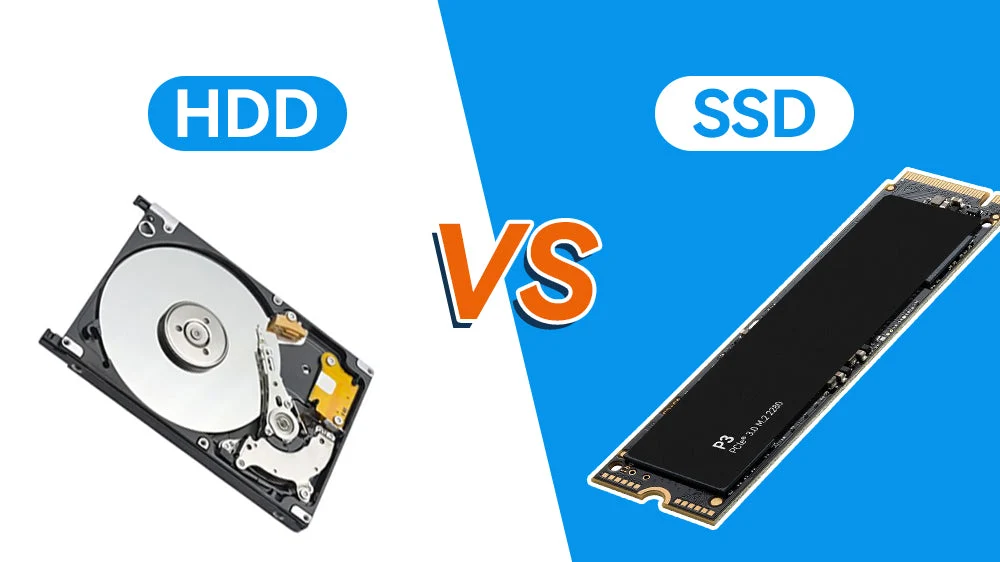
An SSD stores information in NAND flash memory cells, which represent data through electrical charge levels. Unlike an HDD, it has no spinning platters or moving mechanical parts. This makes SSDs faster, more energy-efficient and less vulnerable to damage from everyday movement.
However, flash memory has a limitation: its ability to retain stored data can decline when the drive remains disconnected from power for extended periods. The actual retention period depends on factors such as the drive’s age, write endurance, storage temperature and the quality of its memory cells.
This does not mean that every SSD will lose its data after two or three years. However, it does make an SSD less suitable as the only copy of files that will be left untouched for a long period. Digital archiving guidance also cautions against relying on unpowered SSDs for long-term preservation.
Why HDDs Can Be Useful for Infrequently Accessed Backups
HDDs store information magnetically on rotating platters. A read-write head accesses the data as the platters spin inside the drive. Since the information is recorded magnetically rather than as electrical charge in flash memory cells, HDDs do not have the same unpowered charge-retention limitation as SSDs.
They can therefore be a practical and relatively affordable option for storing large collections of photographs, videos and documents that are not accessed frequently.
But HDDs are not risk-free. Their moving components make them vulnerable to physical shocks, drops, vibration and mechanical wear. Heat, humidity and improper handling can also affect their reliability. An HDD kept unused for years should not be assumed to be perfectly safe or guaranteed to work when it is connected again.
Which Drive Should You Choose for Your Data?
For everyday use, frequent file transfers, gaming and video editing, an SSD is generally the better option because of its speed and responsiveness. For large, infrequently accessed backups, an HDD may offer better value and can be a useful part of an archival setup.
The important point is not to depend on either drive as the sole home for irreplaceable files. Users should keep multiple copies of important data, preferably across different storage types and locations. Seagate, for example, describes the 3-2-1 backup approach: maintain three copies of data, use two different types of storage media and keep one copy at another location.
Smart Practices to Keep Your Files Safe for Years
Store external drives in a cool, dry and stable environment, away from direct sunlight, moisture, dust and physical shocks. Connect backup drives periodically to check that they are working and that files can still be opened. For SSDs, follow the manufacturer’s recommendations for storage and maintenance; simply switching a drive on briefly should not be treated as a guarantee that every file has been refreshed.
It is also sensible to verify important files, maintain updated copies and replace ageing storage devices before they fail. Ultimately, the safest strategy is not choosing HDD over SSD or vice versa. It is maintaining multiple verified backups so that a single device failure does not result in permanent data loss.